
The Best Time to Post on YouTube
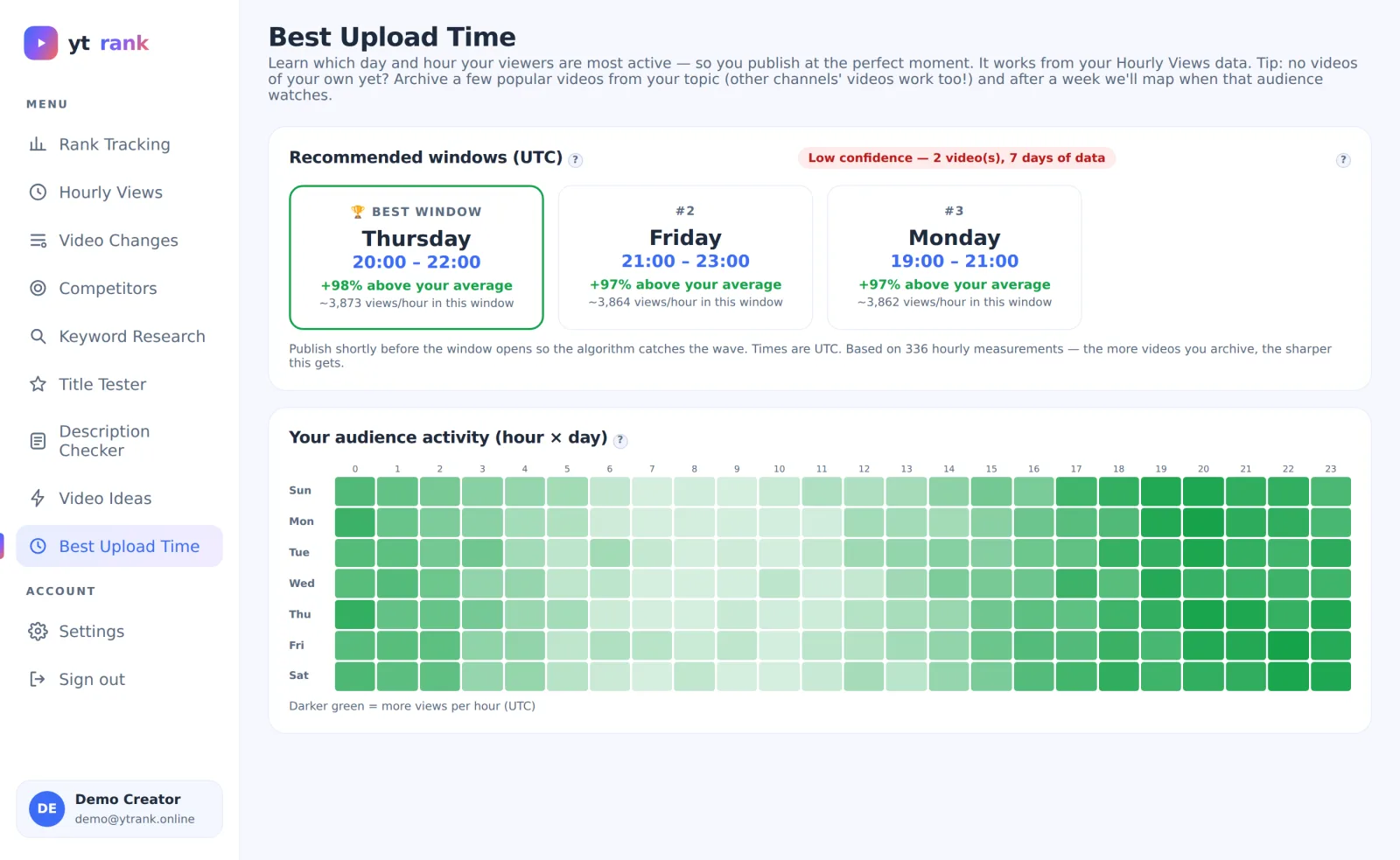
Generic advice says "upload at 3pm on Saturday". Your audience is not generic. ytrank studies the hourly viewing data you collect and maps activity by day and hour — so your next video goes live right before your audience shows up.
- ✓Top-3 recommended upload windows, ranked
- ✓Full day × hour heatmap of audience activity
- ✓Confidence rating that improves as data grows
- ✓Works even before your channel is big — archive videos from your topic
How it works
Collect hourly data
Add videos to the Hourly Views archive — your own, or popular videos from your niche.
Wait one week
After 7 days of measurements the recommendation unlocks and sharpens as data accumulates.
Publish before the wave
Upload shortly before a recommended window so the algorithm catches your video as viewers arrive.
Why it matters
The first hours decide how YouTube's algorithm treats a video. Publishing when your audience is asleep wastes that window. Because ytrank works from measured viewing hours — not surveys or averages — the recommendation reflects your actual viewers, and even niche channels can borrow signal by archiving popular videos from their topic.
Frequently asked questions
I have no subscribers yet — can I still use this?
Yes. Archive a few popular videos from your niche; their viewing pattern maps when that audience is active, which is exactly who you want to reach.
What does the confidence badge mean?
More videos and more days of data raise confidence. Low confidence means treat the windows as a rough hint.
Are the times in my timezone?
Times are shown in UTC, with a note to convert; your profile timezone setting is used across the panel.
More free ytrank tools
Try Best Upload Time free today
No credit card. Every ytrank tool is free — create an account and start in one minute.
Create Free Account →